

Book from quote within the day and get 5% off your final freight
Great news!
FFQO is giving you additional savings. Just deposit $100 via PayPal and we are giving you a 5% discount off your final freight quote.
Yes!
You’ve read it right. We are giving a 5% off to the final freight quote of all importers, exporters, retailers and individuals who will make a $100 USD deposit via PayPal.
How to get the 5% discount?
To get a 5% discount, you simply need to:
Step 1: Request a quote via our online calculator.
Step 2: Check your inbox to get your quote reference number.
Step 3: Deposit $100 via PayPal within 24 hours.
Payment made easy with PayPal
We’ve made it easier for you with PayPal. Send your payment to info@freightforwarderquoteonline.com at the comfort of your home. You can even pay on your mobile. Scroll down to learn how.
Watch this video to see how simple and easy it is to pay your freight via PayPal using its mobile app.

How to pay your freight deposit of $100 via PayPal Desktop or Mobile App
How to send $100 deposit via PayPal (Desktop)
Making your $100 deposit payment to FFQO is simple and easy with PayPal. Just follow these simple steps.
Step 1: Sign-in to your PayPal account
- Enter your email address
- Enter your password
- Press log-in
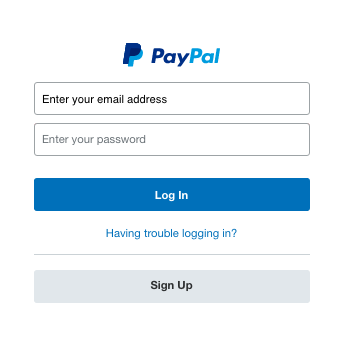
Step 2: Get ready to pay for your freight
- Click Send and Request Payments in menu
- Choose Pay for goods or services icon
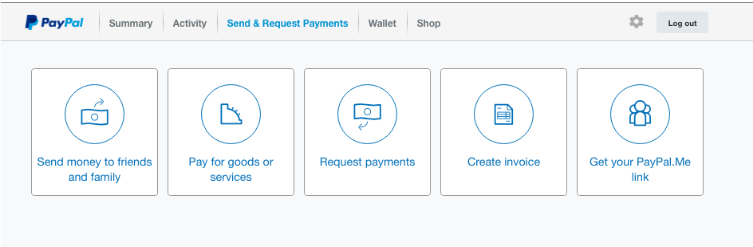
Go to the “Send and Request Payments” page.
Step 3: Add FFQO as recipient of payment
- Enter info@freightforwarderquoteonline.com
- Click the next button
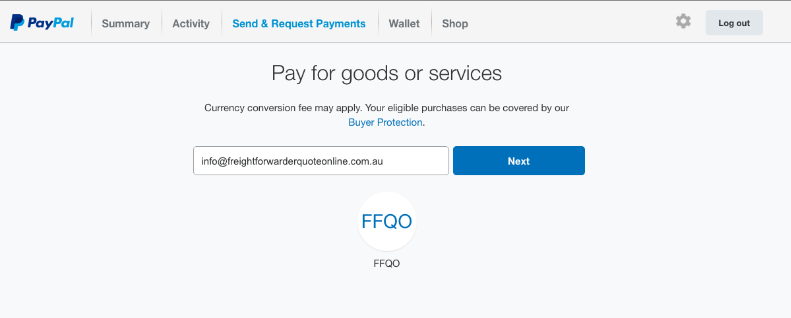
Add the recipient of your payment.
Step 4: Specify the payment fee of $100
- Add the amount in USD
- Enter your email address
- Click the continue button
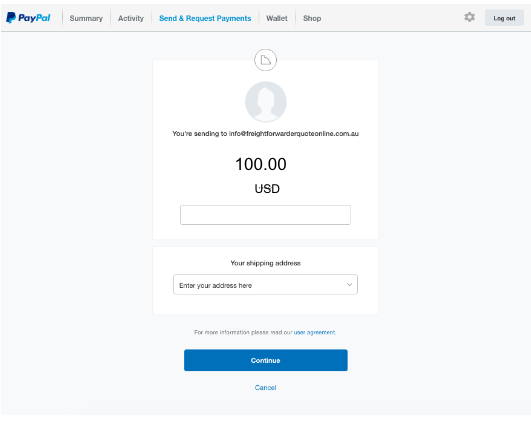
Enter the deposit payment of $100 USD.
Step 5: Choosing the payment method
- Choose the payment method
- Click “Send Payments Now”
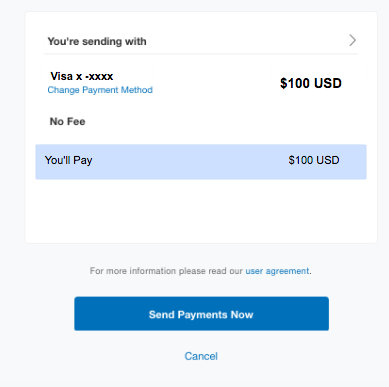
Choose your payment method.
Step 6: Receive a confirmation

Congratulations! You have successfully deposited your payment.
Step 7: Check the summary of your transaction
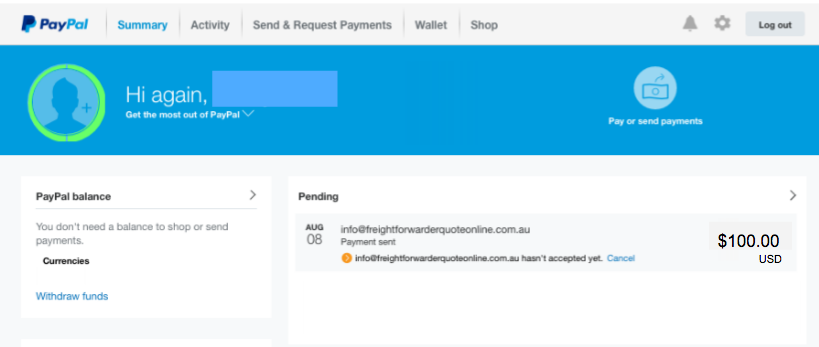
Review your transaction details.
How to send a $100 deposit via PayPal App
Sending your $100 USD deposit to FFQO via the PayPal App is so easy. Read on to know how it can be done.
Step 1: Sign-in to your Paypal account
- Enter your email address
- Enter your password
- Tap log-in
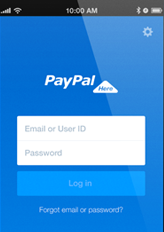
Log-in to your Paypal account.
Step 2: Get ready to send payment
Tap the “Send Money” option
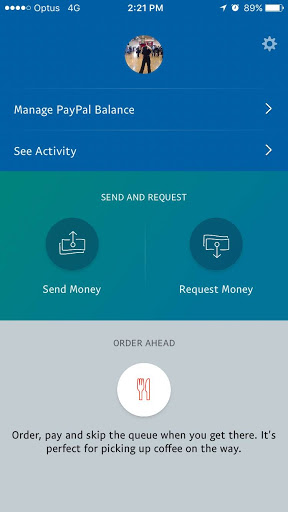
Get ready to pay via PayPal.
Step 3: Add FFQO as recipient of payment
- Enter info@freightforwarderquoteonline.com
- Tap the next button
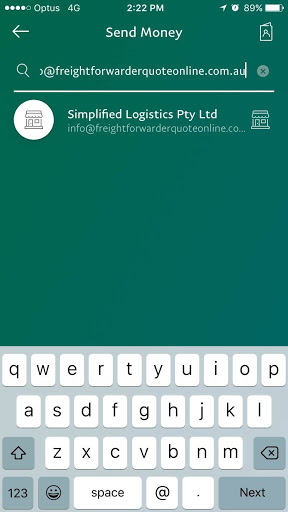
Choose FFQO as recipient of your payment.
Step 4: Specify the payment fee of $100
- Add the amount in USD
- Enter your email address
- Tap the continue button
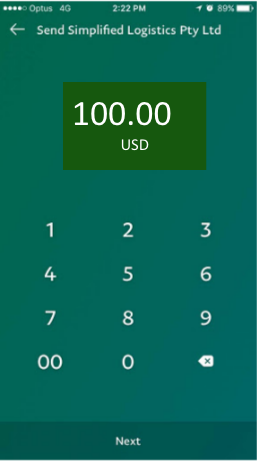
Enter your $100 USD payment.
Step 5: Review and send
- Review your payment
- Add note as needed
- Enter your shipping address

Send and review your payment.
Step 6: Receive payment confirmation
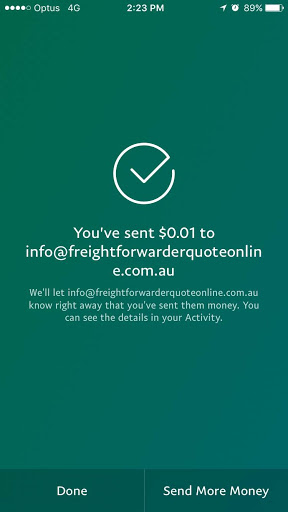
Congratulations! You’ve successfully deposited $100 USD to FFQO.


